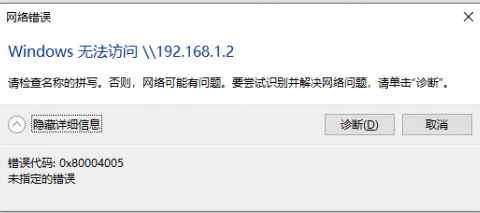
问题现象
- 软件:打印机驱动大师
- 用户系统:win10
- 会话id:26032521175182650030
- 现象:
解决方案
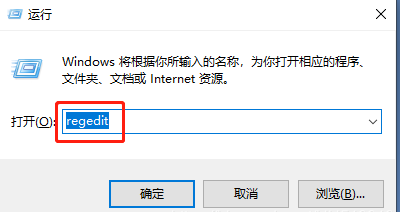
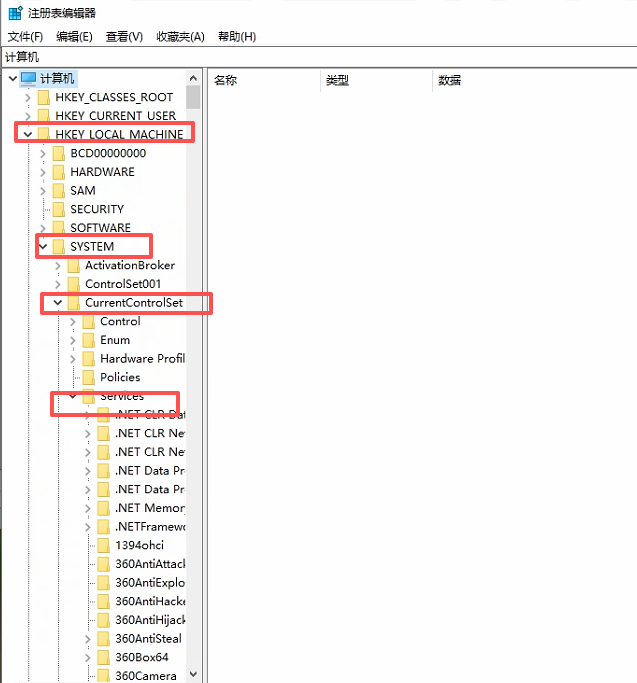
1.windows键 + R键 输入regedit打开注册表
2.定位到HKEY_LOCAL_MACHINE\SYSTEM\CurrentControlSet\Services
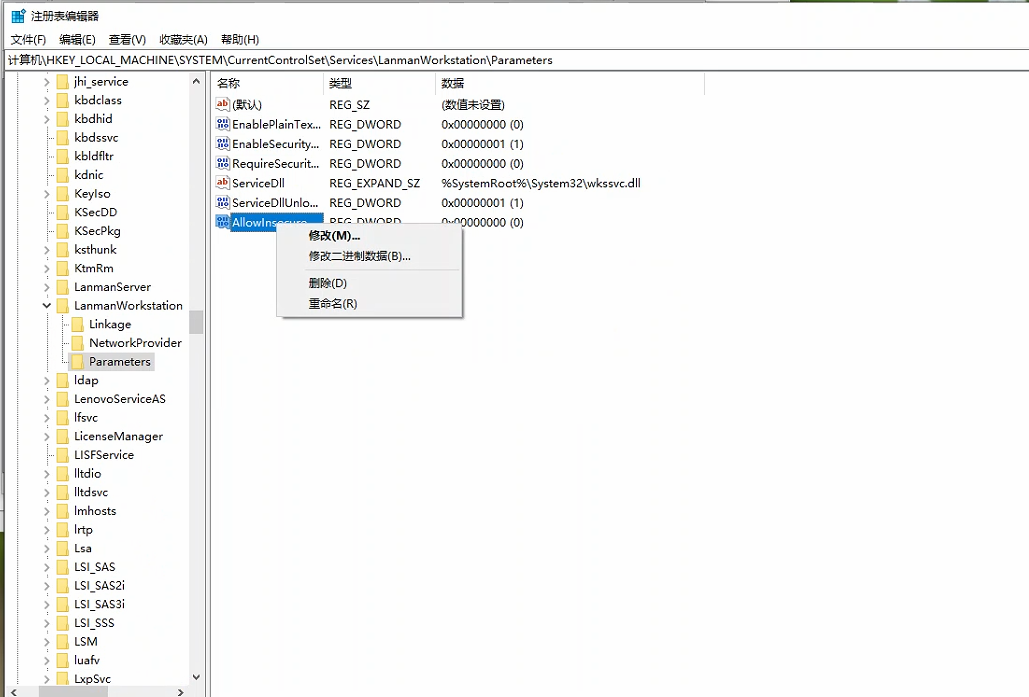
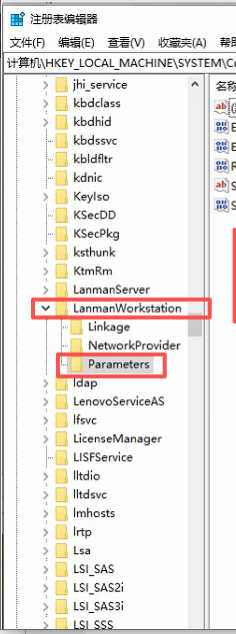
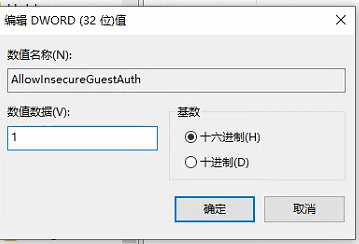
3.LanmanWorkstation\Parameters 右侧找到AllowInsecureGuestAuth
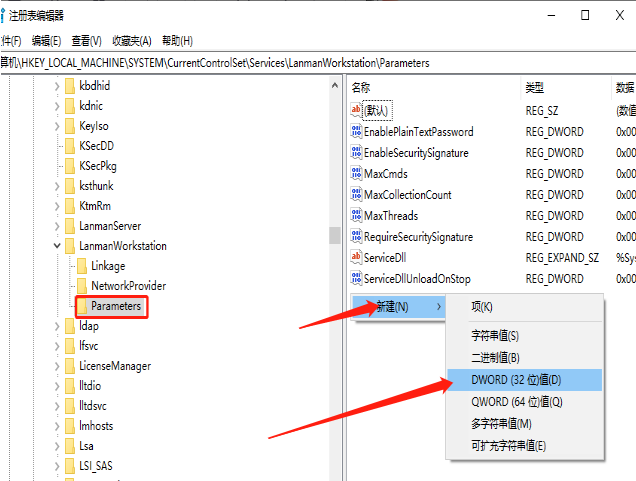
4.如果右侧找不到AllowInsecureGuestAuth就空白的地方右键新建选择DWORD(32)项然后名字改成AllowInsecureGuestAuth
5.改好了之后右键点击修改
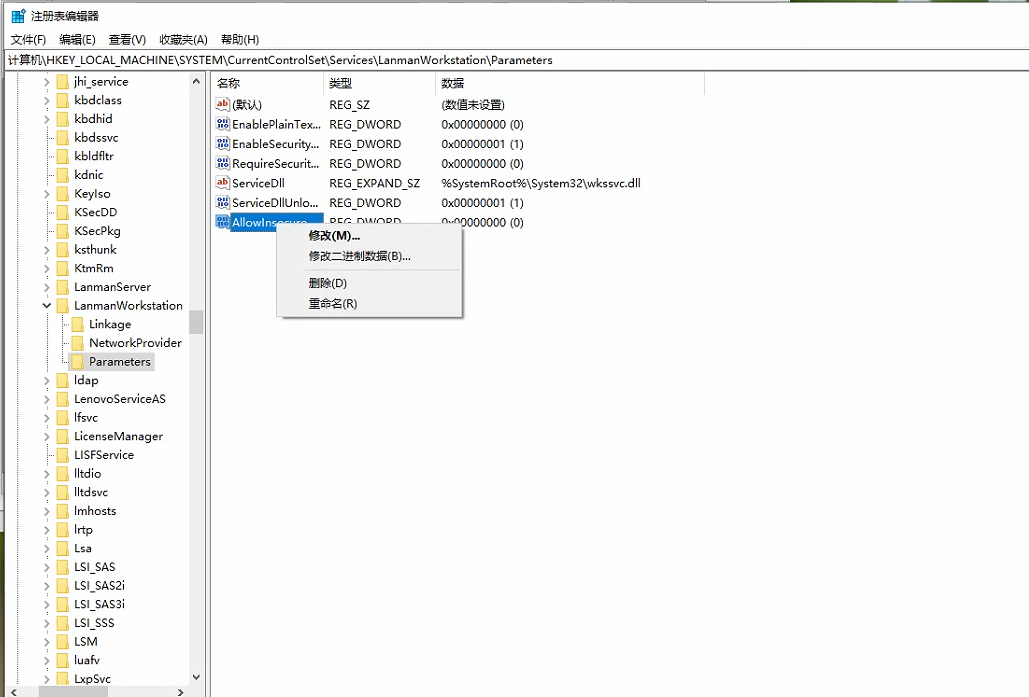
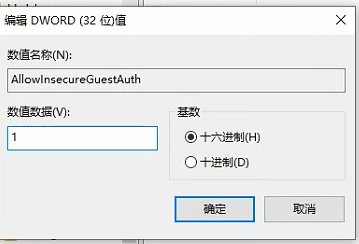
6.数值数据改为 1 基数是十六进制的,再看看数值名称是不是(AllowInsecureGuestAuth)
7.关闭注册表,重新访问共享打印机即可。若还失败,在打印机主机电脑注册表新建项路径HKEY_LOCAL_MACHINE\SYSTEM\CurrentControlSet\Control\Print
新建 DWORD 值RpcAuthnLevelPrivacyEnabled,数值设为 0,重启主机后重试。